
New Luminar Plans and Luminar Prime Explained
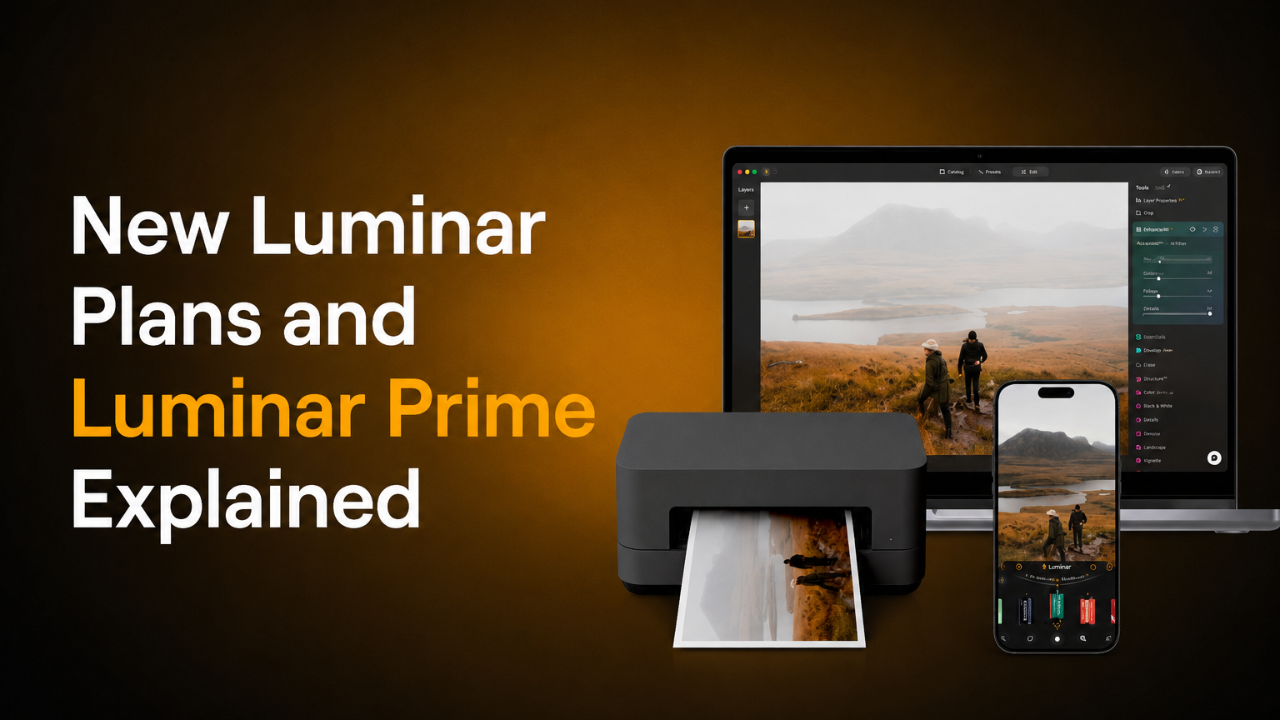
Luminar has introduced a new pricing structure for new customers, together with Luminar Prime for eligible current Luminar owners.
I know the new Luminar plans may look a little confusing at first, especially if you already own the software. So, to make everything easier to understand, I have separated this guide into two simple sections: one for new customers (here) and one for current Luminar owners (here).
Contents
- For New Luminar Customers
- Desktop Only
- All Platforms
- Max
- For Current Luminar Owners
- What Is Luminar Prime?
- What Do You Keep?
- What Is Coming in the Fall 2026 Update?
- What Happens If You Do Not Buy Prime?
- Current Luminar Offer
For New Luminar Customers
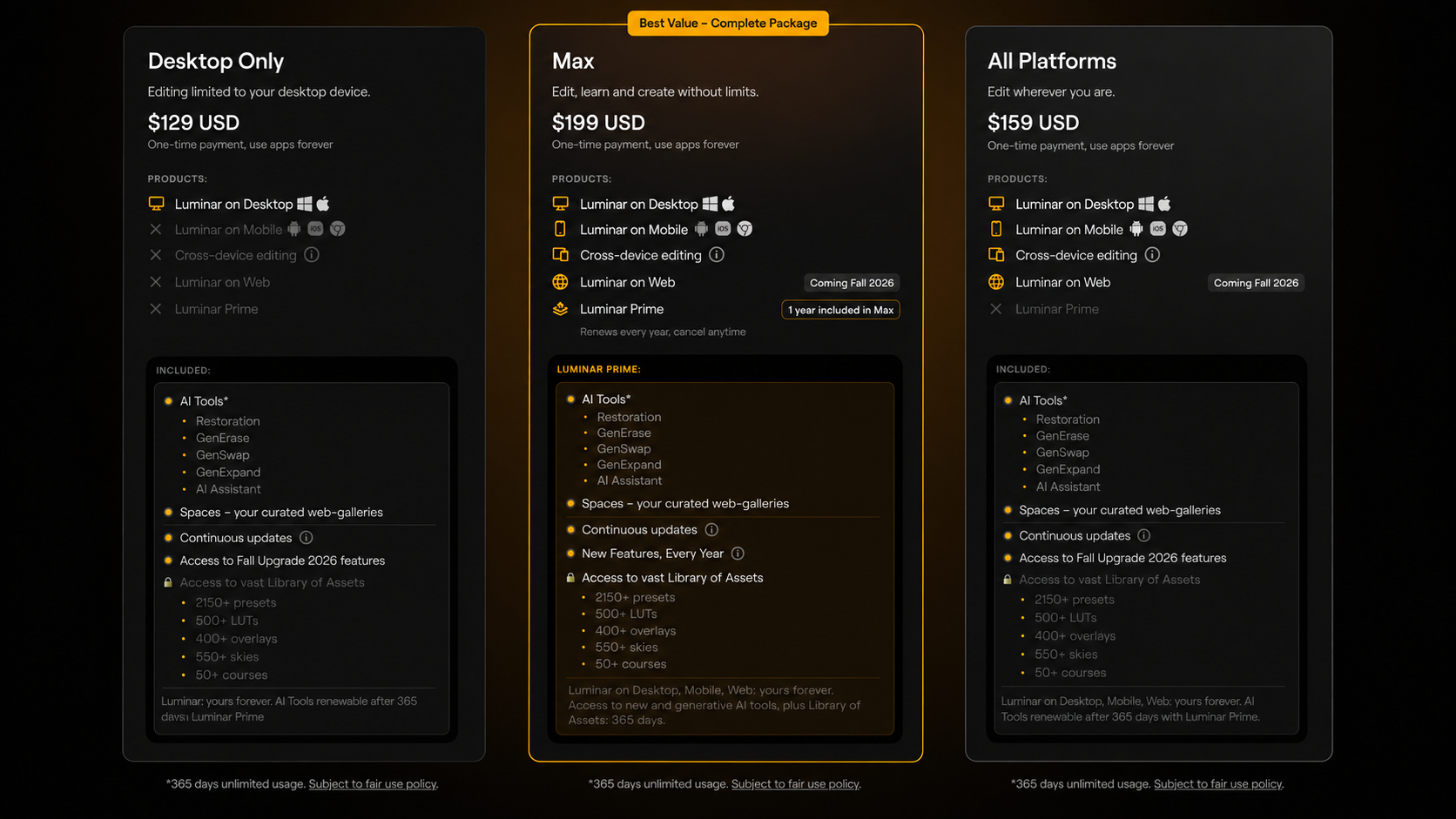
New customers can now choose from three Luminar options:
Desktop Only
Desktop Only is the simplest option for photographers who edit exclusively on their computer.
It includes:
• Luminar for desktop
• 365 days of access to supported AI powered features
• The upcoming Fall 2026 Update
The Fall 2026 Update is expected to introduce:
• Crop AI 2.0
• Atmosphere AI 2.0
• Enhance AI 2.0
• AI Assistant 2.0
• Additional improvements included in the Fall release
Choose Desktop Only when you want the main Luminar editing experience on your computer and do not need mobile or web access.
All Platforms
All Platforms includes everything in Desktop Only, plus:
• Luminar Mobile
• Luminar Web
• The ability to edit across desktop, mobile and web
• Lifetime access to Luminar Web after it launches
This option is best suited to photographers who want more flexibility and prefer to edit across several devices.
Max
Max is the most complete Luminar option for new customers.
It includes everything in All Platforms, plus:
• One year of Luminar Prime
• Access to more than 3,500 creative assets
• More than 50 hours of photography courses
• New features and upgrades released during the active Prime membership
• Extended access to supported Generative AI tools
Max is the best choice for photographers who want the complete Luminar experience, including all platforms, future updates, creative content and education.
Get Luminar as a New Customer
You can compare the current Luminar plans and view the latest promotion here:
👉 View Luminar plans for new customers
Use discount code:
CPNEO10
For Current Luminar Owners
Current Luminar owners do not need to buy the software again.
Your existing Luminar licence and all previously purchased features remain yours.
Eligible perpetual licence owners can choose to add Luminar Prime if they want access to future feature upgrades, Luminar Web and the Creative Library.
What Is Luminar Prime?
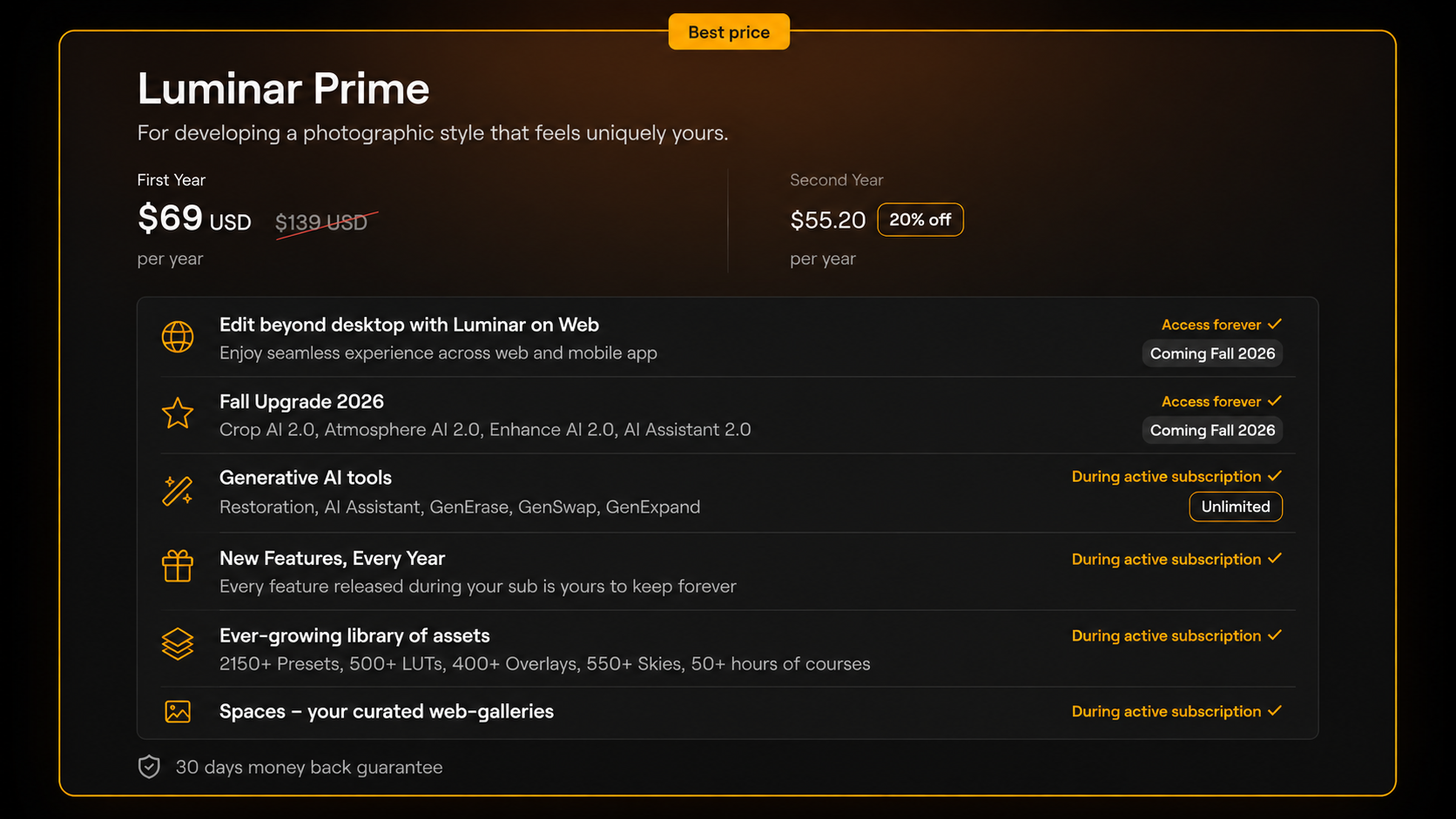
Luminar Prime combines three main benefits:
Future Luminar upgrades + Creative Library + Luminar Web
Instead of purchasing individual Upgrade Passes for future releases, Prime gives you access to eligible new features released while your membership is active.
Prime also includes access to more than 3,500 creative assets and photography courses.
Your existing Luminar software remains yours. Prime is an optional membership that adds future updates, content and additional services on top of the software you already own.
Get Luminar Prime as a Current Owner
Eligible current Luminar owners can view the Prime offer here:
👉 View Luminar Prime for current owners
Use discount code:
CPNEO10
What Do You Keep?
Permanent features released while your Prime membership is active remain yours to use.
This means that when a new permanent editing feature is released during your active membership, you keep access to that feature even if Prime later ends.
You also keep:
• Your existing Luminar licence
• Features you previously purchased
• Permanent upgrades unlocked during Prime
Some benefits require an active Prime membership:
• Creative Library assets
• Courses included with Prime
• Supported Generative AI usage
• Future features released after your membership ends
The easiest way to understand it is:
Editing features you unlock remain yours. Membership content remains available while Prime is active.
The Creative Library, including presets, LUTs, overlays, skies and courses, is available only while the Prime membership remains active.
What Is Coming in the Fall 2026 Update?
The Fall 2026 Update will introduce new and improved Luminar tools, including:
• Crop AI 2.0
• Atmosphere AI 2.0
• Enhance AI 2.0
• AI Assistant 2.0
• Additional workflow and editing improvements
These tools are not part of the current interface update. They are scheduled to become available with the separate Fall 2026 release.
Eligible new Luminar purchases and Luminar Prime memberships purchased during the current campaign will include access to this upcoming update.
What Happens to Previous Upgrade Passes?
Photographers who previously purchased a Luminar Upgrade Pass will continue to own the features included with that purchase.
Prime does not remove or replace anything you already own.
The main difference is how future upgrades are delivered.
Previously, photographers purchased separate Upgrade Passes for individual releases. Prime combines eligible future upgrades into one yearly membership.
What Happens to X Membership?
The previous X Membership library is becoming part of Luminar Prime.
Prime members receive access to a growing collection of creative resources, including:
• Presets
• LUTs
• Skies
• Overlays
• Photography courses
• Additional creative assets
These resources remain available while the Prime membership is active.
What Happens If You Do Not Buy Prime?
Nothing is removed from your current Luminar software.
You continue to own your application and all previously purchased features.
You will also continue receiving maintenance updates such as:
• Camera support
• Compatibility updates
• Performance improvements
• General software maintenance
Prime is simply an optional way to receive future creative features, Luminar Web and access to the Creative Library.
You do not lose your existing licence or previously purchased tools by choosing not to subscribe.
Can New Customers Buy Prime Separately?
Prime is not currently offered as a separate purchase for new customers.
New customers who want Prime should choose the Max plan, which includes Luminar together with one year of Prime.
Eligible current perpetual licence owners can purchase Prime separately.
Which Luminar Option Should You Choose?
Choose Desktop Only when you mainly edit on your computer and want the core Luminar desktop experience.
Choose All Platforms when you want to edit across desktop, mobile and web.
Choose Max when you want the full Luminar experience, including all platforms, Prime, creative assets and courses.
Choose Luminar Prime when you already own an eligible perpetual version of Luminar and want future feature updates, Luminar Web and access to the Creative Library.
Still not sure? My advice is not to focus only on the plan names. Start with how you actually edit, which devices you use and whether you want future upgrades. That should make the right option much easier to choose.
Current Luminar Offer
During the current launch campaign, selected Luminar plans and Luminar Prime are available with discounts of up to 50%.
The offer is scheduled to end on 31 August 2026.
New Customers
Current Luminar Owners
Use discount code:
CPNEO10
Final Thoughts
I know the new Luminar plans may feel a little confusing at first, but they become much easier to understand when you separate them into new and current users.
If you are new to Luminar, you can choose between Desktop Only, All Platforms and Max, depending on where you want to edit and how many additional features you need.
If you already own a perpetual Luminar licence, you keep your existing software and everything you have previously purchased. Luminar Prime is simply an optional way to receive future upgrades, Luminar Web and access to the Creative Library.
Most importantly, nothing you already own is being taken away. Your software and previously purchased features remain yours.
Affiliate disclosure: The links in this article are affiliate links. If you purchase through them, I may receive a commission at no additional cost to you. Thank you for supporting my work and the free Luminar tutorials I create.
